
Product
Changelog
New features and improvements in Astrocyte. The app is in Spanish, so screen names appear as you will see them there.
Your online appointments, now with Zoom
Connect your Zoom account once and Astrocyte creates the meeting for every online appointment in your account. Your patient gets the link with their appointment reminders, and when it is time you start the call from your schedule with «Iniciar videollamada» (Start video call). If you reschedule the appointment, the meeting moves with it; if you cancel it, the meeting is deleted.
How to connect it
In Perfil → Citas y horarios (Profile → Appointments and hours), open an appointment type and, under «Modalidad de consulta» (visit format), choose «Zoom · Conectar». You authorize Astrocyte in Zoom and come back to the same appointment type, with everything you had typed and Zoom already selected. Nothing is saved until you press «Guardar» (Save).
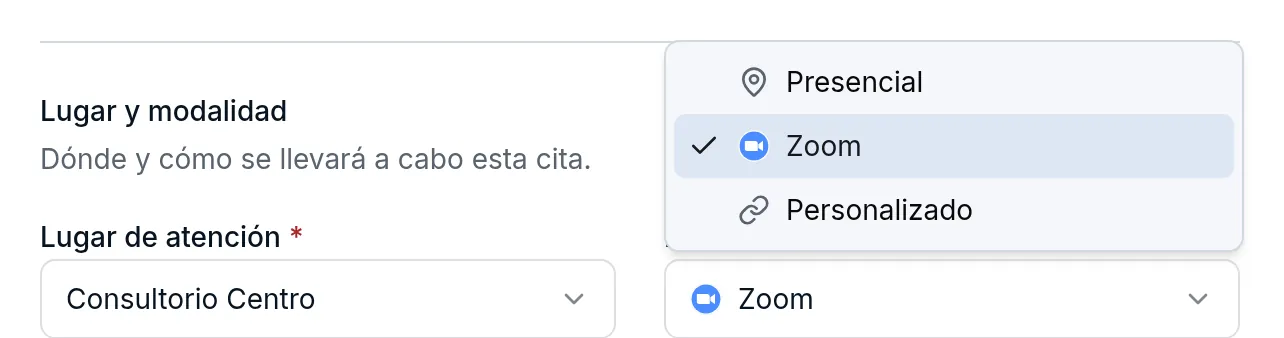
You can also connect it from Citas y horarios → Publicar (Publish), or during your first-time setup, right below Google Calendar.
If your Zoom account is free, Zoom may end each call after 40 minutes. We let you know when you choose it.
The note listens to the video call
When you record a visit in video call mode, Astrocyte asks where the call is and walks you through the steps so the note includes your patient’s voice:
- In the browser (Google Meet, Zoom on the web, and others): you share the call’s tab with its audio. This works in Chrome, Edge, and Brave.
- In the Zoom app, on Windows: you share your entire screen and turn on «Compartir audio del sistema» (Share system audio).
- On Mac or Linux, the desktop app does not always let the browser hear it. The safest option is to join the call from Chrome, Edge, or Brave and share the tab. Safari and Firefox do not allow sharing audio.
Astrocyte only listens while you record: recording starts when you press «Iniciar grabación» (Start recording) and share from your browser, and it ends when you stop it. The Zoom integration has no access to the audio, video, or recordings of your meetings; the details are on Video calls with Zoom, available in Spanish.
Clearer appointment settings
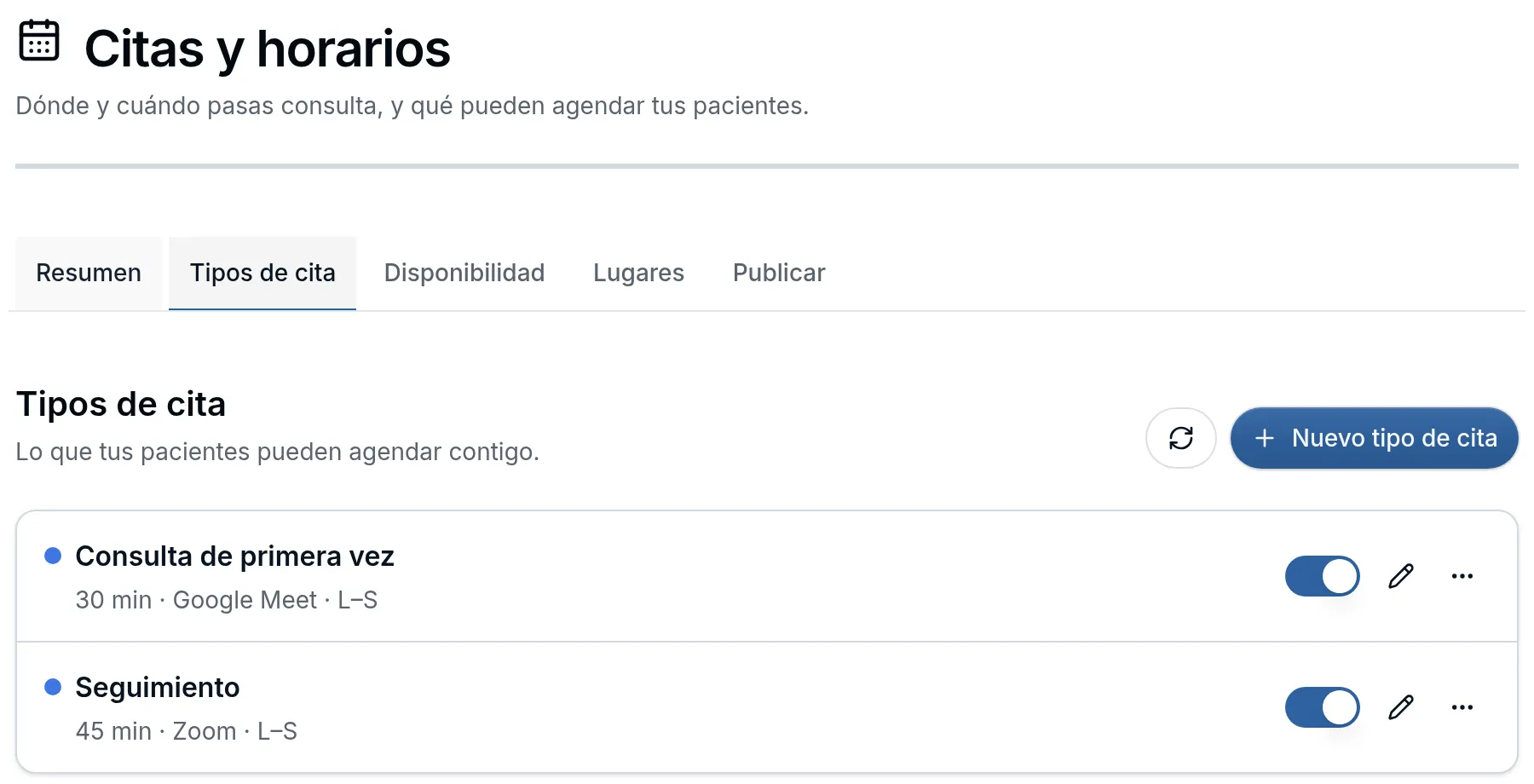
- The «Agenda» section of your profile is now called Citas y horarios (Appointments and hours), so it is not confused with your daily schedule.
- Each appointment type shows its duration, visit format, days, and price on one line. Tap the row to edit it.
- The one-time link for a patient and «Eliminar» (Delete) are under «Más acciones» (More actions, ⋯). Deleting asks for confirmation and does not let you delete an appointment type that has upcoming appointments.
Zoom and the Zoom logo are trademarks of Zoom Communications, Inc., registered in the U.S. and other countries.