
Clinical templates
Clinical templates are now available in the Diagnósticos (Diagnoses), Tratamiento (Treatment), Solicitudes (Orders) and Interconsulta (Referral) tabs. You save what you often order as a template, and during the visit you add it in one step, reviewing each line before it goes into the note.
Templates in each tab
In each of those tabs, the Plantillas (Templates) button opens a panel inside the same card, with no window on top. You check one or more cases under ¿Cuál de estos casos aplica? (Which of these cases applies?), and the arrow on each one shows everything it brings.
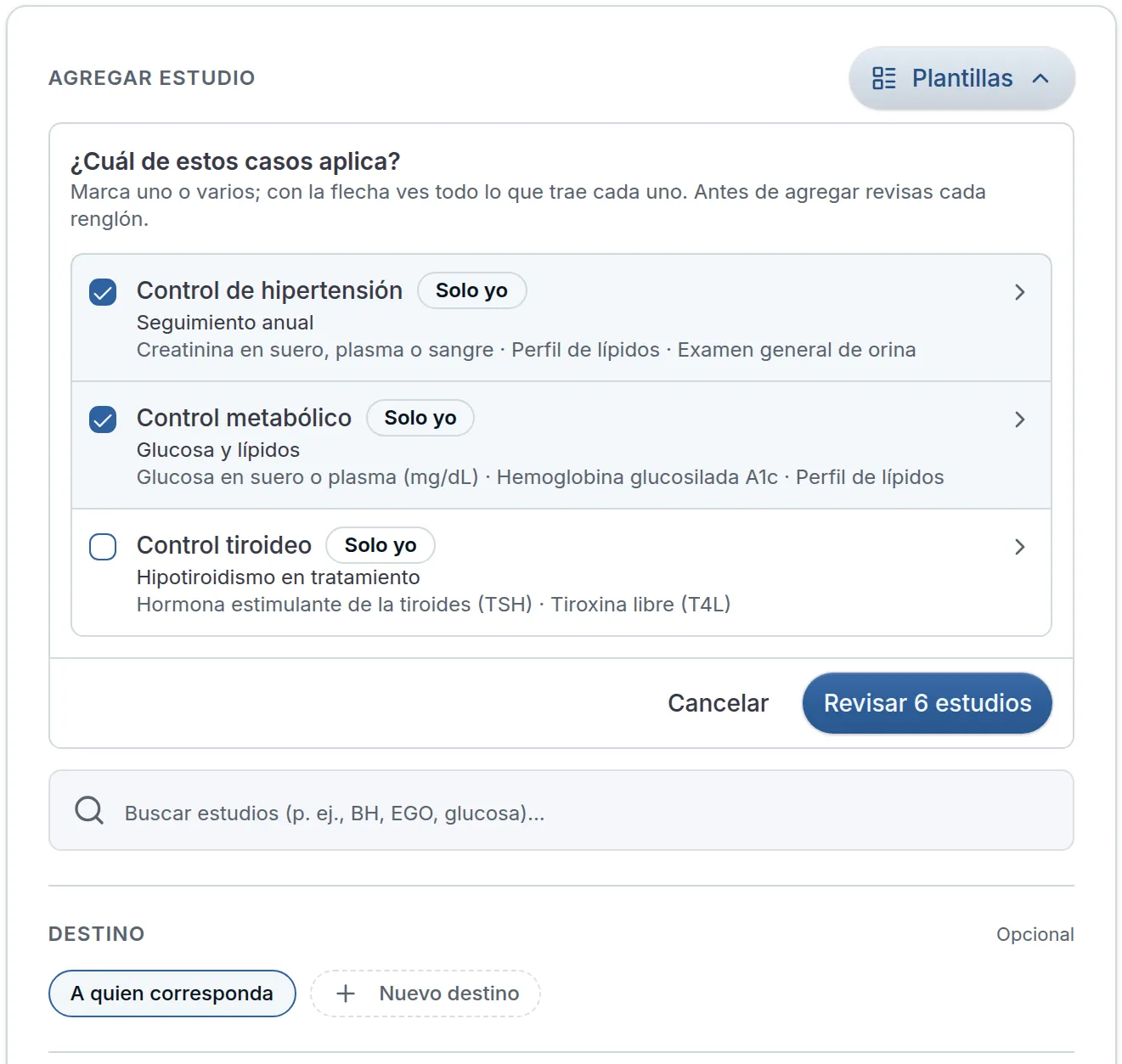
Each template holds 1 to 20 lines of a single kind: diagnoses, medications, studies or referrals. The ones that are only yours read Solo yo (Only me) and follow you across all your organizations. The ones for Toda la organización (The whole organization) are visible to the whole team and are edited by the owner and the administrator.
Review before adding
When you tap Revisar (Review), you see each line grouped by template. Only what you leave checked goes in. Whatever the patient already has or comes with an alert arrives unchecked, and a line that comes in two templates appears once, with También en (Also in).
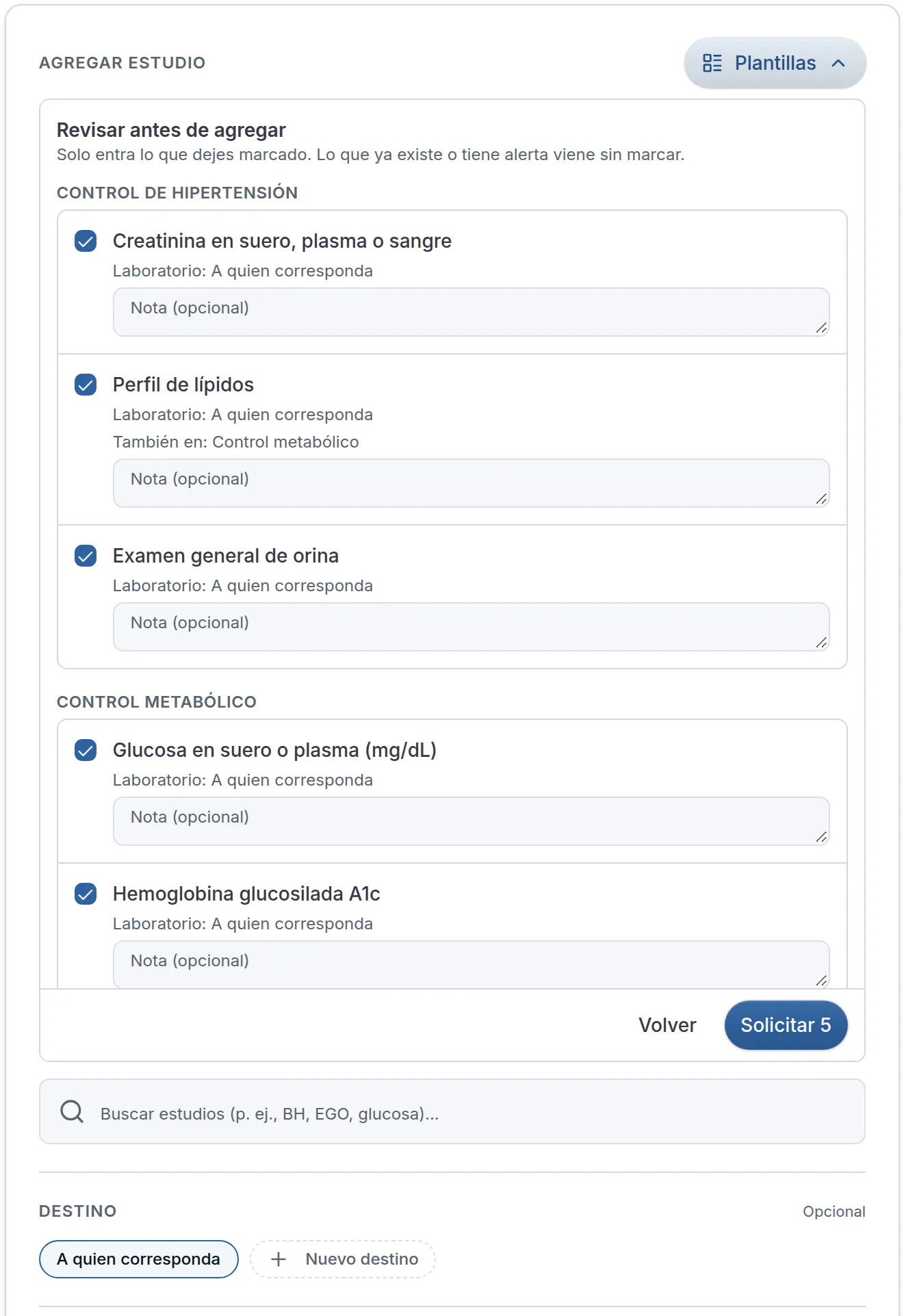
In Treatment, each medication is checked in VIDAL just as when you enter it by hand, and if the patient already has an active prescription for the same medication, the line tells you.
Save today’s
In the same panel, Guardar lo de hoy como plantilla (Save today’s as a template) offers what you entered in this visit. You leave this case’s lines checked, the name is suggested for you, and you choose who can use it.
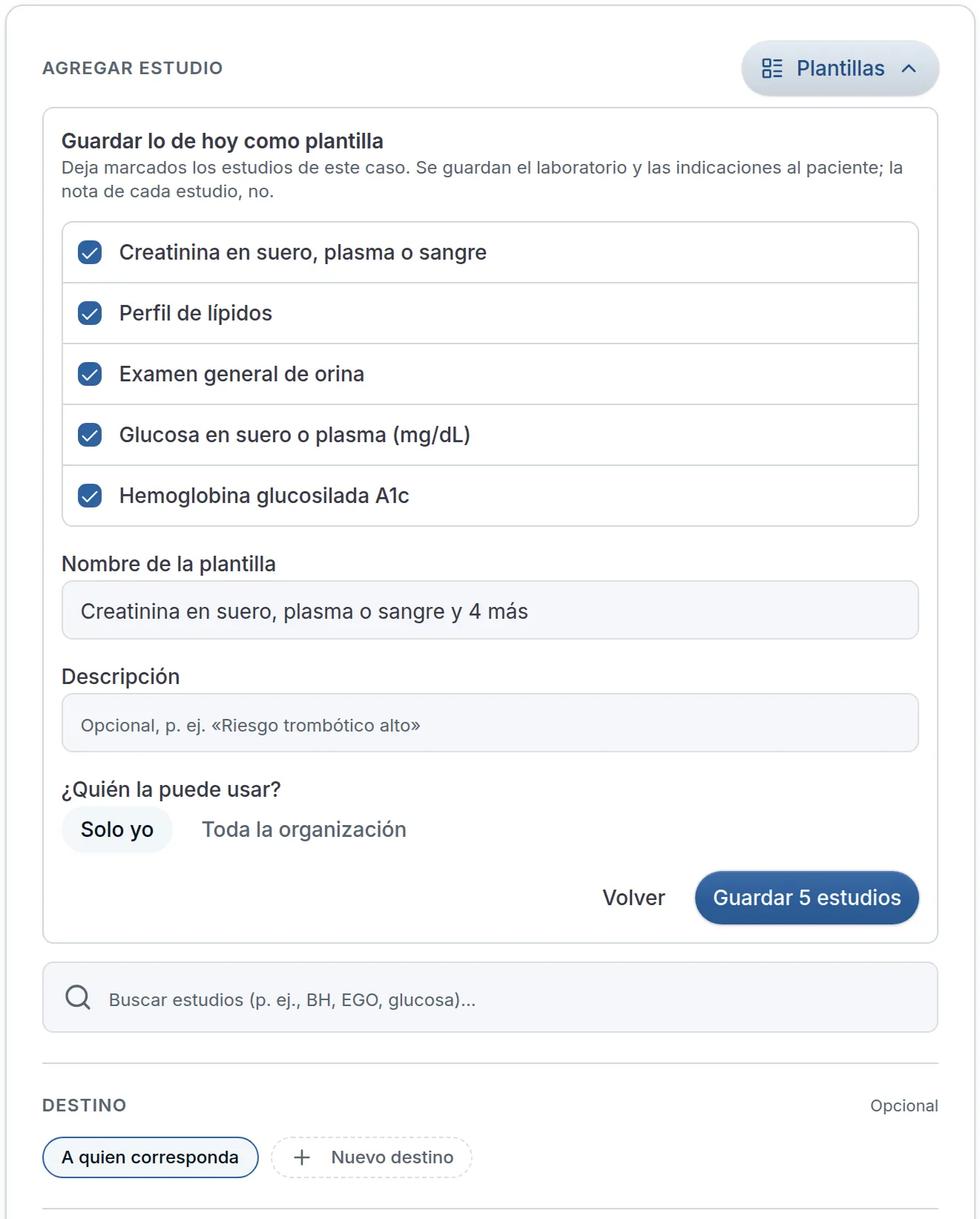
What you wrote for a specific patient is not saved: not the diagnosis complement, not the note on each study, not the referral note. Instructions are. If you repeat the same combination across several visits, Astrocyte suggests saving it, and if you don’t want to, you tap No sugerir esta combinación (Don’t suggest this combination).
All your templates live in Perfil → Catálogos → Plantillas (Profile → Catalogs → Templates), together with Indicaciones rápidas (Quick instructions), which you can now also create and edit there. The study templates you already had moved there, with the same name.
