
Google Calendar edit detection
Astrocyte detects when someone moves or deletes an appointment’s event in your Google Calendar, or when the patient declines the invitation. It lets you know in your inbox, pauses reminders and notices to the patient about that appointment and waits for you to decide what to do.
The notice in your inbox
If an appointment’s event is moved or deleted in your Google Calendar, or the patient declines the invitation, a notice arrives in your inbox (Bandeja de entrada). It says what changed, the time the appointment still has in Astrocyte and the time it now has in Google, and it comes with the buttons to decide.
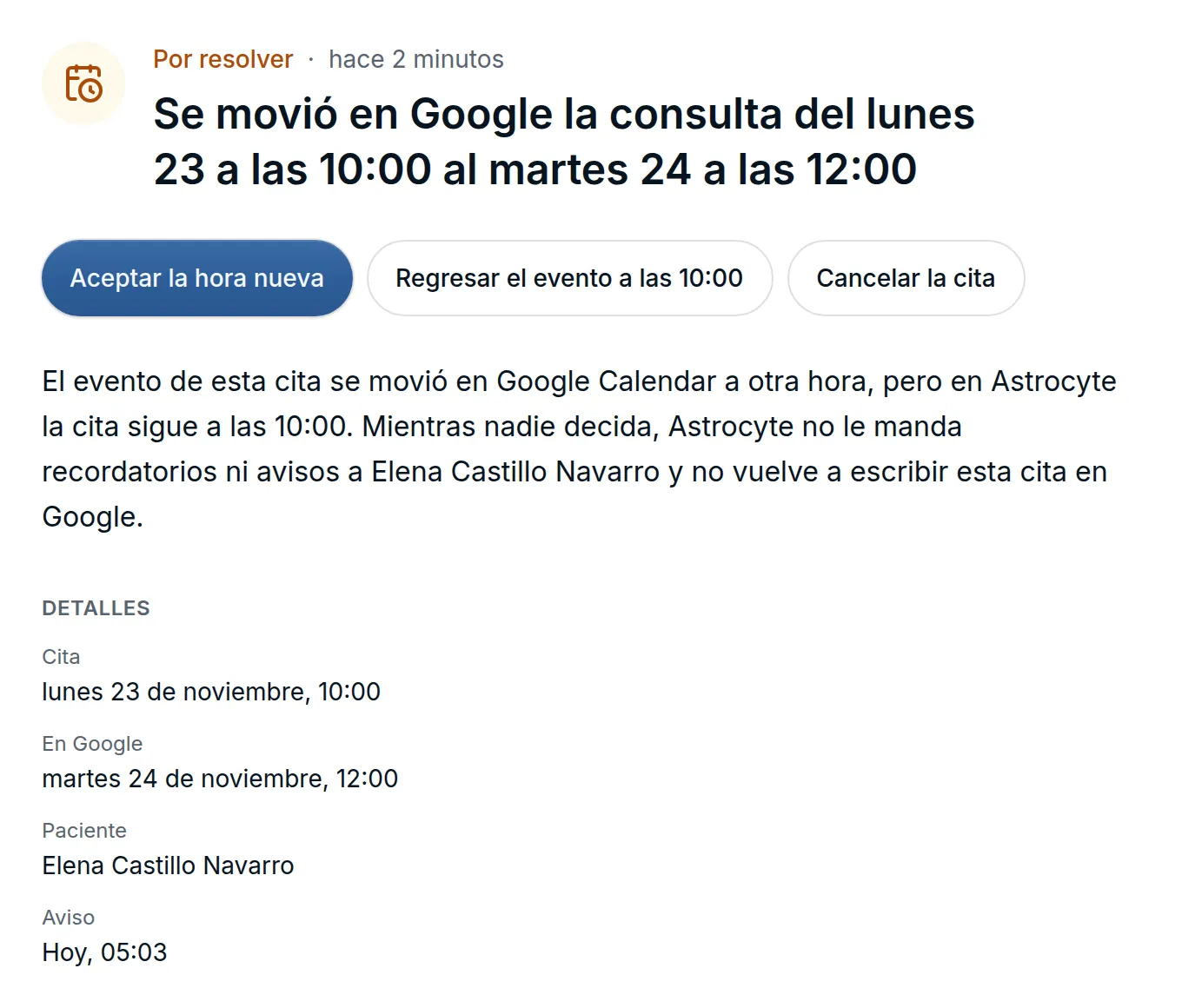
- Moved: Aceptar la hora nueva (Accept the new time), Regresar el evento (Move the event back) to the appointment’s time, or Cancelar la cita (Cancel the appointment).
- Deleted: Volver a ponerla en Google (Put it back in Google), Dejarla así (Leave it as is) or Cancelar la cita.
- The patient declined the invitation: Mantener la cita (Keep the appointment) or Cancelar la cita.
Until you decide, the patient gets no reminders or notices about that appointment, Astrocyte doesn’t write it to Google again, and in Consulta (Visits) the appointment is marked Cambió en Google (Changed in Google). Deleting the event in Google doesn’t send the patient a cancellation: they’re only told if you check it when you cancel or accept the new time. If the visit is 72 hours away or less, the notice goes first in your inbox and you also get an email.
Pregnancy not closed
An open pregnancy that’s past its term shows as not closed. From 43 weeks by its dating, or 10 months from its start if it has no dating, the note shows Embarazo sin cerrar · ¿ya terminó? (Pregnancy not closed · has it ended?) next to the patient’s name, and the Embarazo (Pregnancy) tab stops giving the weeks as of today.
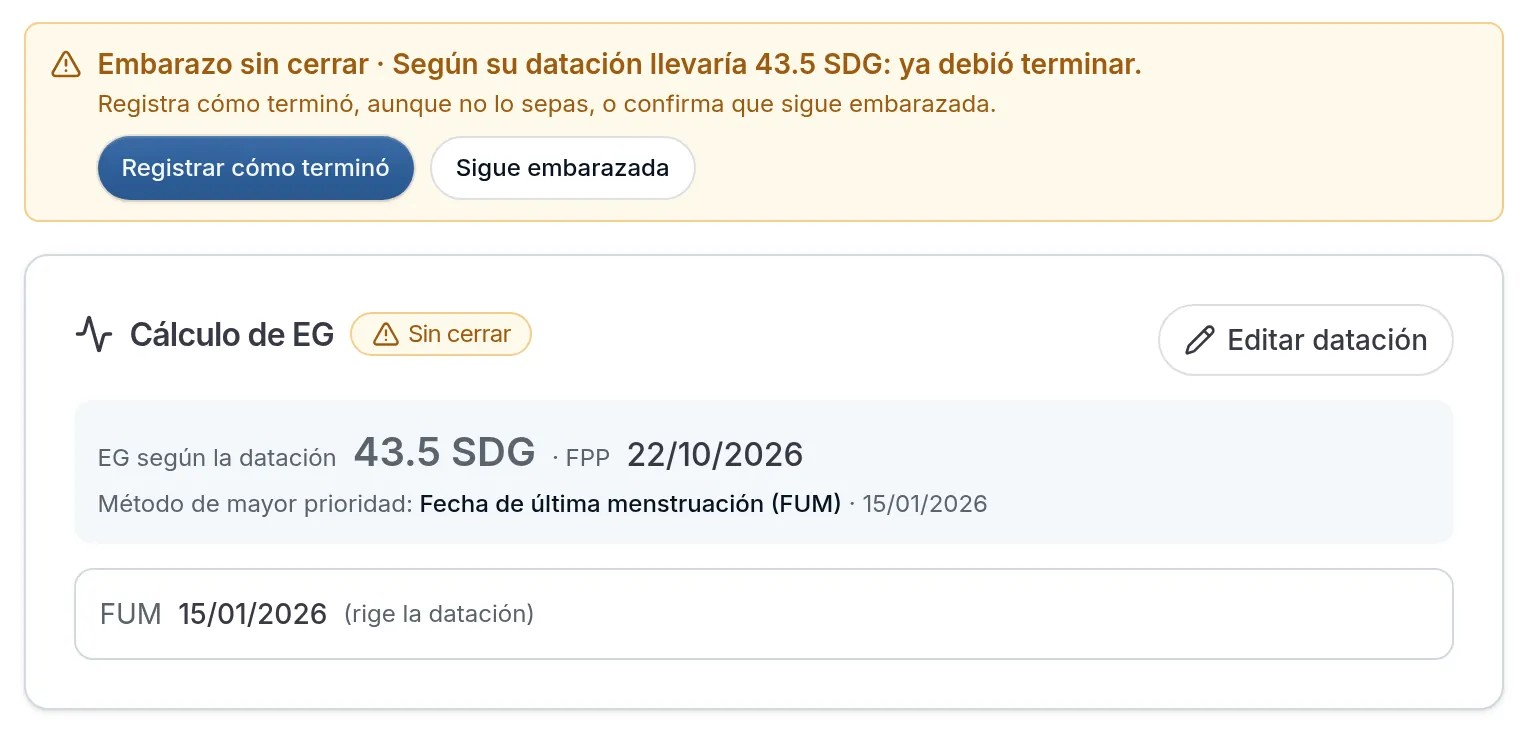
Registrar cómo terminó (Record how it ended) closes the pregnancy even if you don’t know how it ended: choose No especificado (Not specified) and the date becomes optional. When you close it, the pregnancy supervision diagnoses (Z32 to Z35) linked to it are resolved. If the patient is still pregnant, Sigue embarazada (Still pregnant) removes the notice until 45 weeks; from then on, the notice offers Corregir la datación (Correct the dating). Until you close it, prescriptions keep checking medications against the pregnancy. The health record and the Salud menstrual (Menstrual health) card also show it as not closed.
Improvements and fixes
- Booking links · If someone opens a single-use booking link that was already used, they see Este enlace ya se usó (This link was already used) with your phone and email so they can reach you, without the appointment’s details. Whoever booked gets their appointment back by reloading the page in the same tab.
- History · A past diagnosis entered as “asthma, 2010” is saved as resolved since that year, without a closing date or reason you didn’t give, and the year is now optional. A relative’s Fallecido (Deceased) and cause of death only show when you check them, in the printed health record too. In Diagnósticos (Diagnoses), the date of first diagnosis starts empty and Crónico (Chronic) or Subagudo (Subacute) no longer require the year.
- Assisted documentation · Before you confirm an LMP or an OB/GYN history item, the card says what will happen to the value the patient already has: whether it replaces it or is saved with the previous ones. Once confirmed, it’s recorded as if you’d entered it by hand.
