Live dictation keeps recording offline
You can now keep dictating live even if your connection drops. When live transcription is interrupted, recording stays active on your device and everything spoken from that point on is transcribed automatically when you stop, without duplicating what already arrived or charging twice.
Recording continues on your device
If you lose internet or live transcription is interrupted during a visit, Astrocyte shows a brief notice and keeps recording locally on your device. The recording pill switches to amber with the label Sin transcripción en vivo (No live transcription; hovering shows the exact time), the mobile bar displays Sin transcripción en vivo · grabando (No live transcription · recording), and the Transcripción (Transcription) panel adds a top strip with the time of the cut.
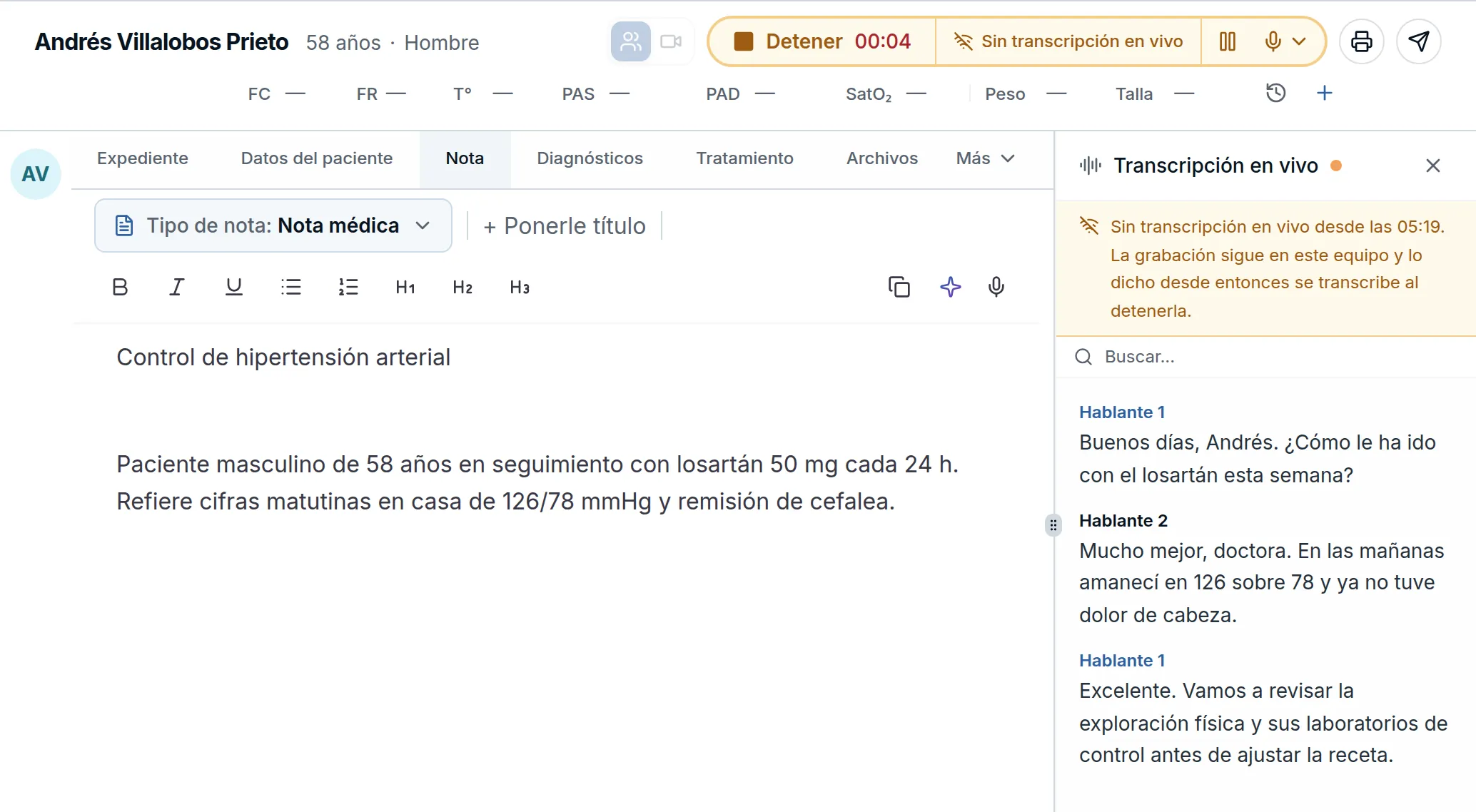
If you start a dictation in En vivo (Live) mode while already offline, recording begins right away on your device with the same microphone, without changing your preferred mode for future consultations. Offline sessions keep the 90-minute cap, and if the microphone disconnects while offline, recording stops with the Micrófono desconectado (Microphone disconnected) notice and preserves everything recorded up to that point.
Automatic recovery and AI notices
When you stop dictating, Astrocyte transcribes only what was spoken after the cut and inserts it as a Recuperado (Recovered) block right after the live portion. If you stop while still offline, the Dictado guardado (Dictation saved) notice confirms the audio is safe on your device and the pending stretch is added to the consultation as soon as your connection returns.
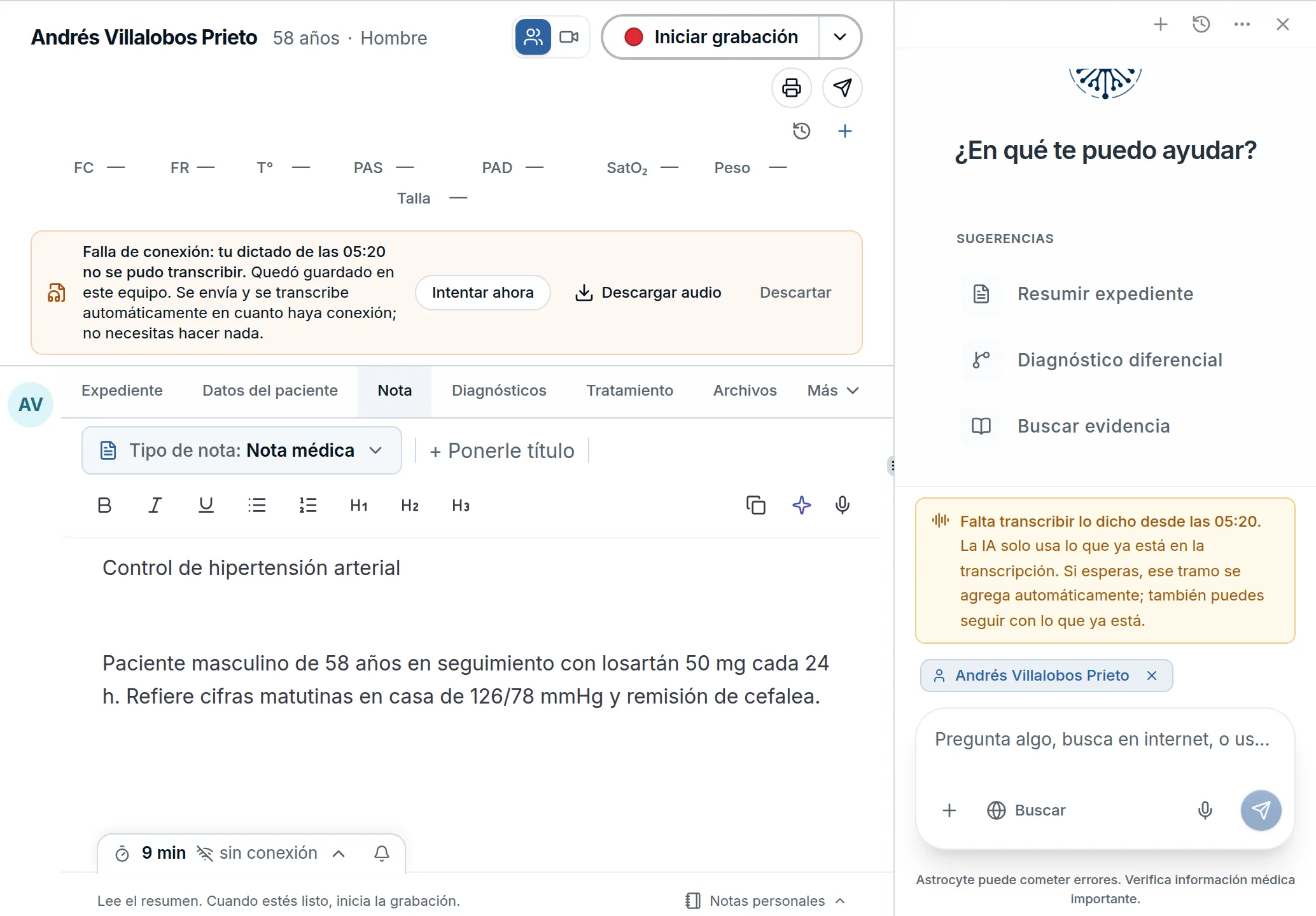
While that stretch is still pending, both the clinical chat and Documentación asistida (Assisted documentation) show a non-blocking notice with the cut time reminding you that AI only uses what is already in the transcript. You can wait for the stretch to arrive or continue working with what is already there. If a stretch cannot be added automatically, the consultation recovery banner appears immediately with Transcribir ahora (Transcribe now), Descargar audio (Download audio), and Descartar (Discard).
Improvements and fixes
- Offline consultation stability · If your connection drops mid-visit, the consultation stays open without signing you out of chat or stopping an active recording. Opening a tab that had not loaded yet shows a connection notice inside that section alone while the rest of the consultation stays available.