
Chat changes to decide
You can now decide the changes the chat proposes for your note a few at a time. What you accept goes into the note, and what you haven’t decided yet stays saved until you do, on this device or another.
Decide a few at a time
Accept with ✓ the changes you’ve already reviewed and leave the rest for later: the draft stays alive. When you open the note, a strip tells you how many chat changes are left to decide, and Revisar (Review) shows them again in red and green. The chat card says so too: Agregado en parte (Partly added), with the changes left to decide.
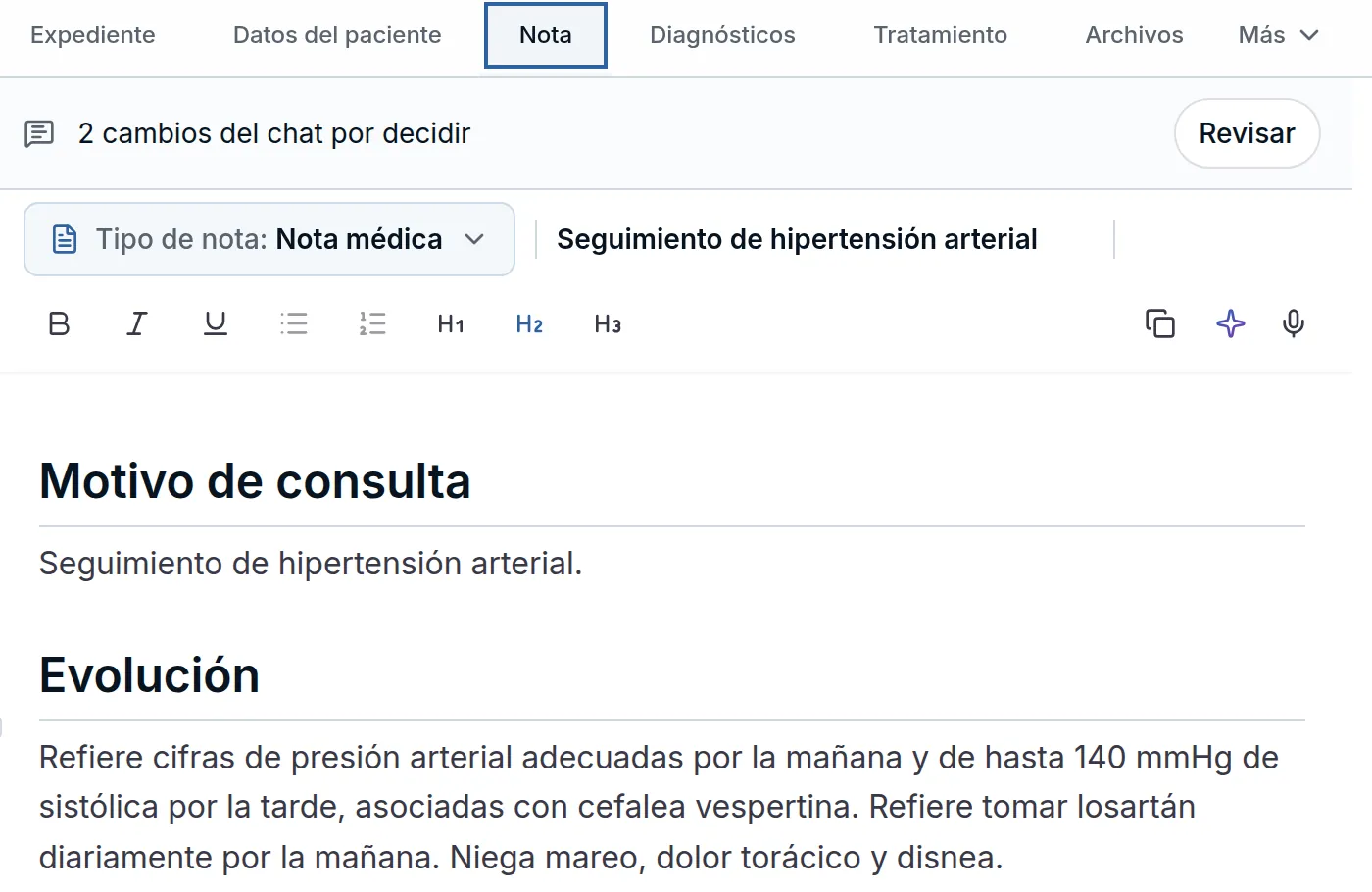
If you go to another tab of the visit with something pending, it warns you once, with Volver a la nota (Back to the note) or a button to go to the tab you chose. Leaving loses nothing: you find it when you come back to the note, even on another computer or the tablet.
You can keep asking the chat for changes, such as “and also the appointment in 2 weeks” or “make it 3 weeks”. Each request adds to, changes or removes from what you have pending, also from another conversation. What you rejected doesn’t come back on its own; if you ask for it again, it returns as a change to review. If your assistant asked the chat for a change in your note, the card and the strip say who asked for it.
What you type by hand while the chat drafts is compared word by word. If you add a sentence to the line the chat is changing, both changes live together and Aceptar todo (Accept all) keeps your sentence. If you both change the same word or number (you wrote 750 mg and the chat proposes 500 mg), Aceptar todo leaves it out and the bar says it clashes with what you wrote. You decide it with ✓ or ✗: ✓ leaves exactly the chat’s version and ✗ exactly yours.
News inside Astrocyte
News that asks you to learn something new now opens inside Astrocyte, in the Novedades (What’s new) window. Each one opens on its own just once on your computer, with its video or screenshot. It never opens while you record or type, or on top of another notice, and at most one shows up per day. What you saw on one device doesn’t open again on another.
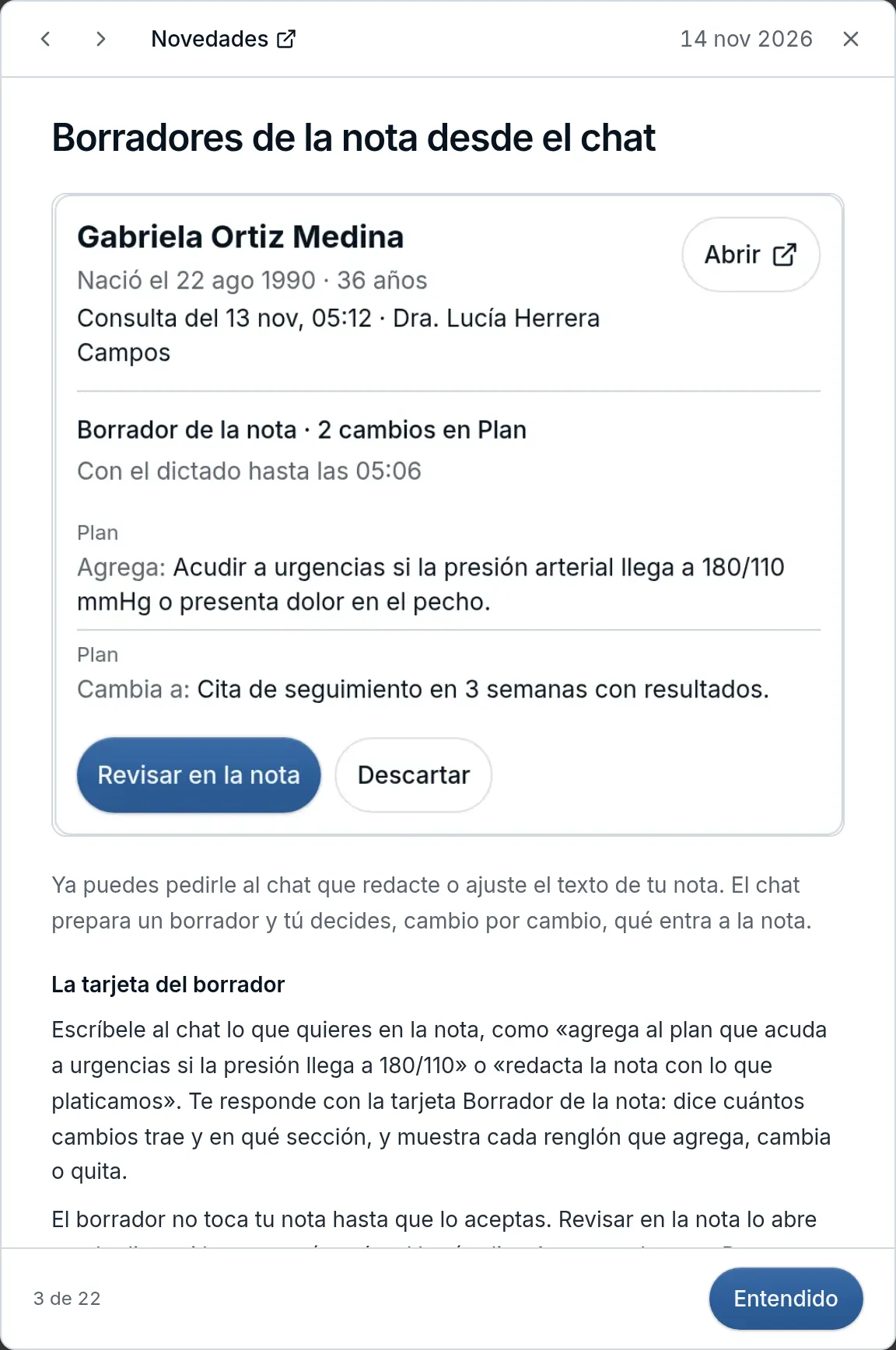
To see them whenever you want, tap Novedades at the bottom of the right sidebar; on your phone it’s in the ⋯ menu. A dot tells you when there’s something you haven’t seen. With ‹ and › you go through the rest, Novedades opens this page in Spanish and Entendido (Got it) closes the window. Some bring a button that takes you to the screen where it’s used; if you’re in a note, that screen opens in another tab so your visit isn’t interrupted.
Improvements and fixes
- Last menstrual period · The current LMP is the one with the most recent date, the same on the Salud menstrual (Menstrual health) card, in Observaciones clínicas (Clinical observations) and in the health record. If you enter a date earlier than the current one, the notice tells you it’s saved among the previous ones, with the Registrar como anterior (Record as previous) button. An LMP later than today is no longer recorded: in the AI review it stays in Por revisar (To review) until you correct it on its card.
- Labs · If you delete, correct or rename rows of a study in Archivos (Files), or change its date, Laboratorios (Labs) shows the new values right away, without reloading. The renamed row gets its code on its own within seconds and the others keep theirs.
