
Patient details and document order
You can now choose in one place which patient details go on all your documents, and in what order they come out when you print or send the visit. Both settings are in Perfil → Formato de documentos (Profile → Document format), on the General tab.
The same patient details on all your documents
In General, the Datos del paciente y clínicos (Patient and clinical details) block sets the age, vital signs, anthropometry, allergies and diagnoses for the prescription, test requests, referrals and your notes. Patient instructions follow your prescription, and sick notes and consent forms carry only the age. If you don’t change anything, your documents come out as before.
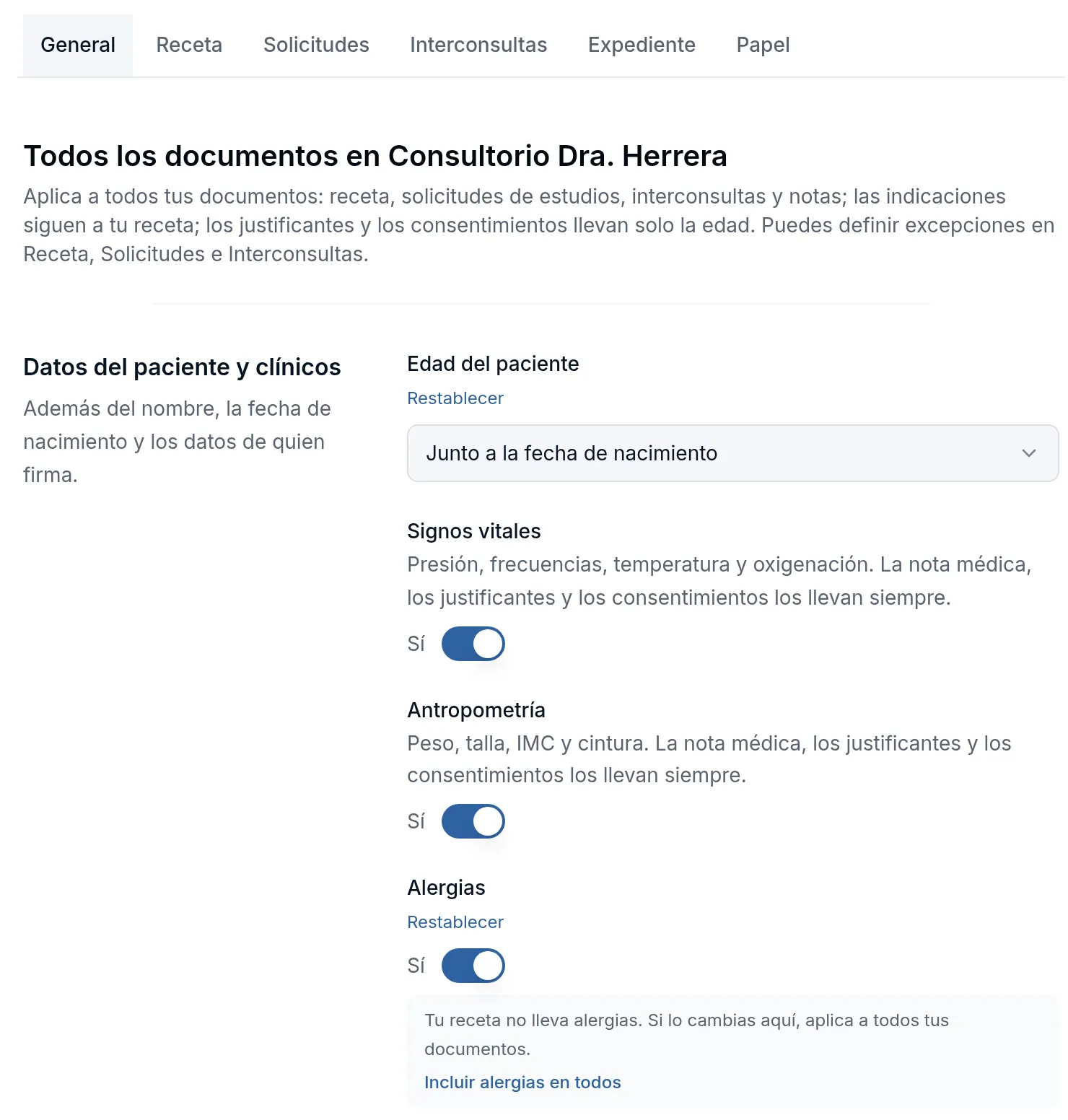
A document can carry something different: on its Receta (Prescription), Solicitudes (Requests) and Interconsultas (Referrals) tabs you change it for that document only. General flags it on the row, for example Tu receta no lleva alergias (Your prescription doesn’t include allergies), with a button to apply the General value to all of them. On the document’s tab, the row says Distinto de General (Different from General) and offers Usar el valor de General (Use the General value).
Vital signs and anthropometry always appear on the note, sick notes and consent forms. If your organization sets a document, General doesn’t change it and tells you so.
Prescription first
Under General → Al imprimir y enviar (When printing and sending), Orden de los documentos (Document order) has two options. Nota primero (Note first) works as always. With Receta primero (Prescription first), the package starts with the prescription and its instructions, followed by test requests, referrals and the note.
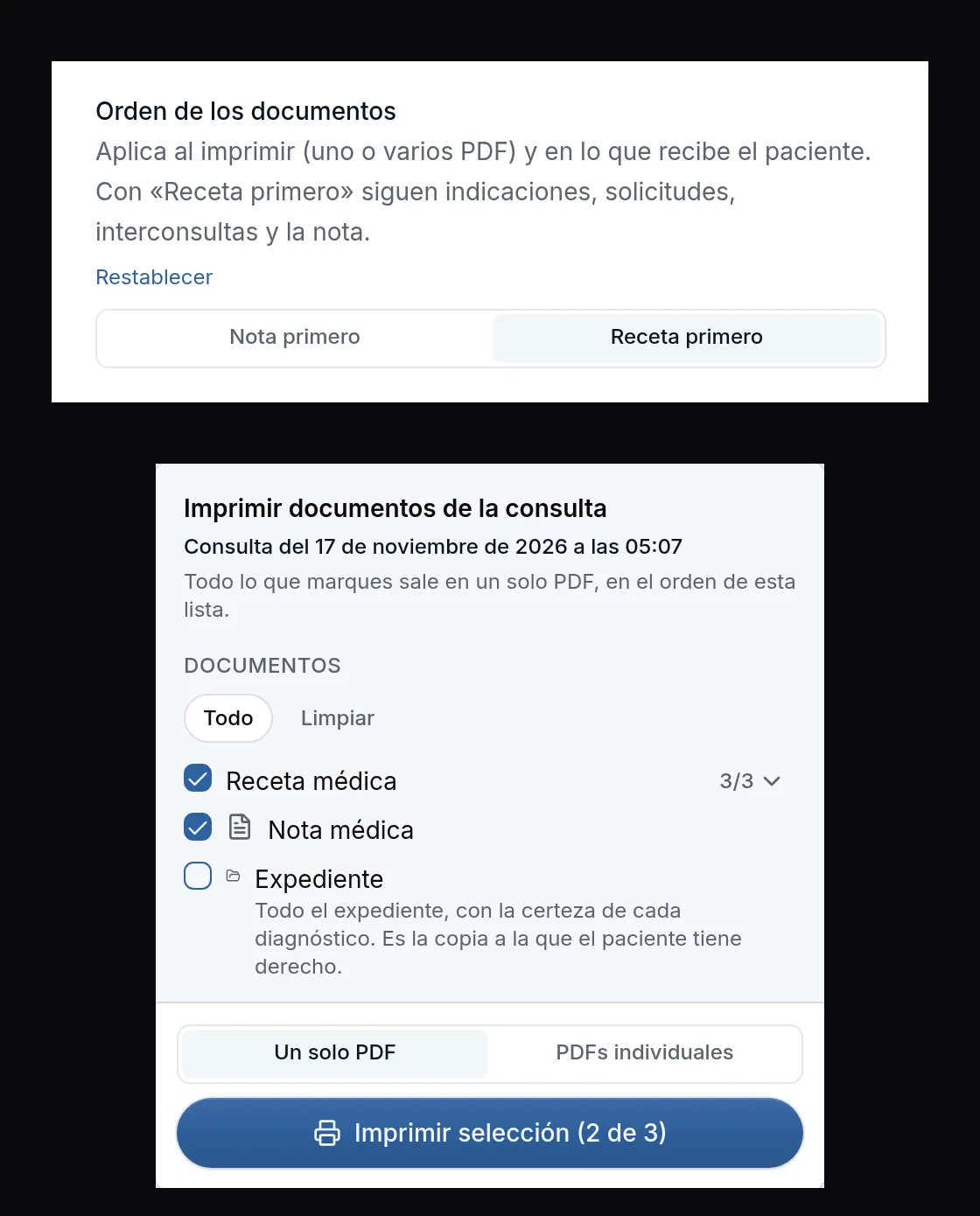
The order applies to the single PDF, to individual PDFs and to what you send the patient. The visit’s Imprimir (Print) and Enviar (Send) panels list the documents in that same order.
Improvements and fixes
- Renewing prescriptions · If you renewed a prescription by mistake and remove it with the trash can, the previous prescription becomes active again and shows up again in Renovar recetas de la consulta previa (Renew prescriptions from the previous visit). The notice tells you: La receta anterior vuelve a estar activa (The previous prescription is active again). What you remove this way no longer appears in the patient’s treatments or printed health record. If your assistant opens the box and the patient’s last visit was with a colleague, your part is titled Prescripción previa (Previous prescription), with your name and the date, instead of Tu última prescripción (Your last prescription).
